> ## Documentation Index
> Fetch the complete documentation index at: https://docs.plantpredict.com/llms.txt
> Use this file to discover all available pages before exploring further.
# RELEASE 10.10.0
September 29, 2022
**Sub-hourly weather files are now available for download from NSRDB**
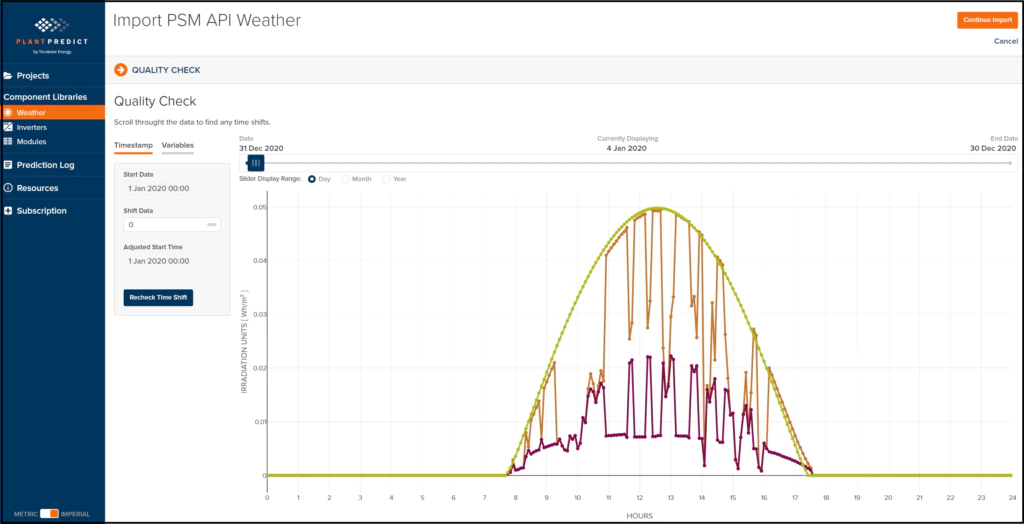
Sub-hourly modeling is a very important capability within PlantPredict, and we want our PlantPredict Premium users to be able to do sub-hourly modeling even if they don’t have a SolarAnywhere or SolarGIS subscription. So, we have updated our NSRDB API integration in order to allow our PlantPredict Premium users to download sub-hourly weather files from the NSRDB. Simply add a new weather file for your location and click the download button for the NSRDB file format. This will present you with a choice to download the Standard TMY (60 minute) files or to choose from a Customized Format that includes sub-hourly data
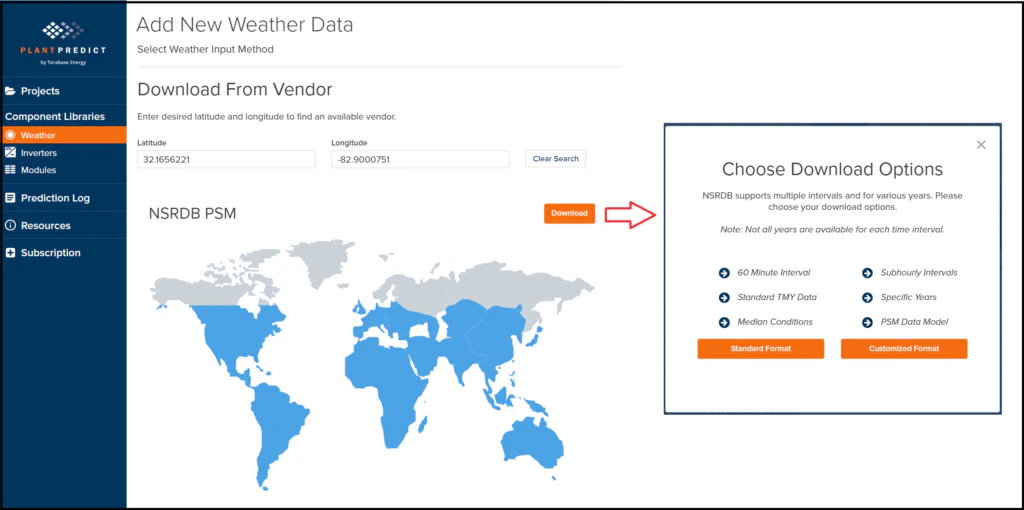 Specify your download options
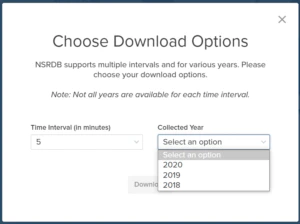 Download your sub-hourly data
 **Search Libraries by Object ID**
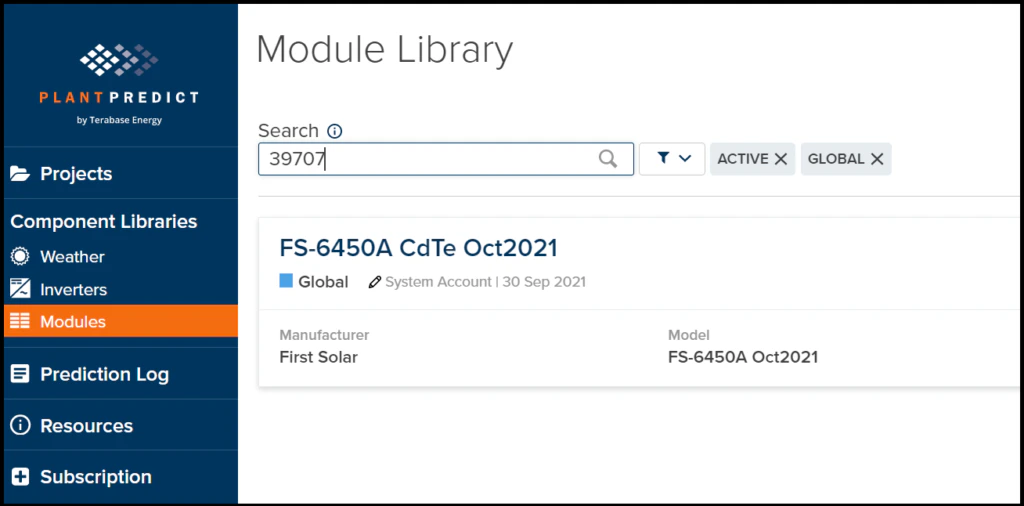
As a minor usability enhancement, you can now search for Modules, Inverters, Weather Files, etc… using the Object ID that you want to use. If you know the ID, just enter it into the search box to quickly get to the Object you want.
**Search Libraries by Object ID**
As a minor usability enhancement, you can now search for Modules, Inverters, Weather Files, etc… using the Object ID that you want to use. If you know the ID, just enter it into the search box to quickly get to the Object you want.
 BUG FIXES
* Result Details endpoint should return results down to the granularity of the weather file interval – This has been fixed.
This documentation is built and hosted on [Mintlify](https://mintlify.com), a developer documentation platform.
BUG FIXES
* Result Details endpoint should return results down to the granularity of the weather file interval – This has been fixed.
This documentation is built and hosted on [Mintlify](https://mintlify.com), a developer documentation platform.