> ## Documentation Index
> Fetch the complete documentation index at: https://docs.plantpredict.com/llms.txt
> Use this file to discover all available pages before exploring further.
# RELEASE 11.13.0
October 20th, 2023
Our last release was huge release with the launch of Terrain Pro and a long list of features. Read more about that release here [RELEASE 11.12.0](/release-notes/Version-11/RELEASE-11.12.0). This release is not as big as the team is working on a few items that are behind the scenes and will be released in the next few months.
Here are the changes we made and what you can expect in the application.
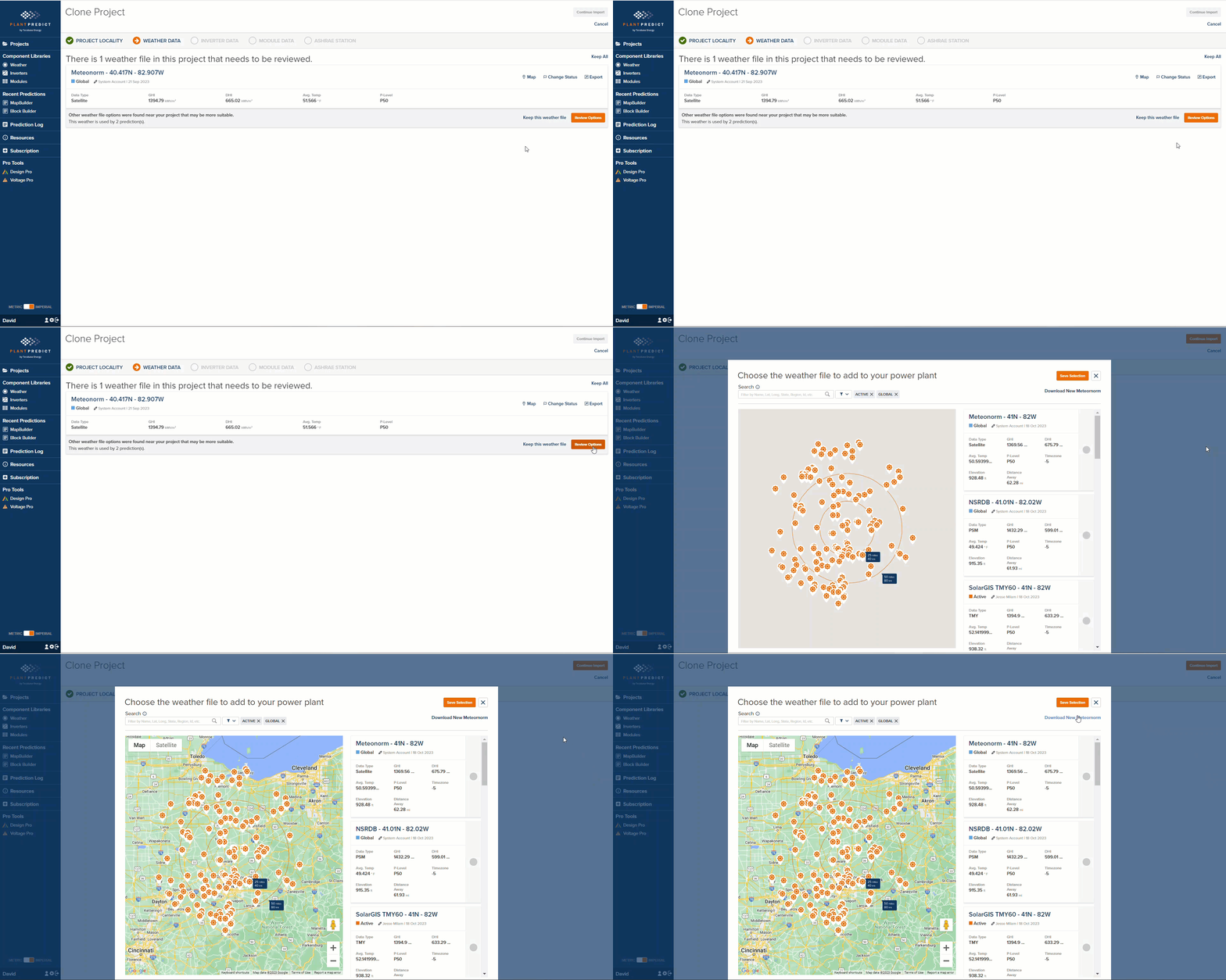
**Cloning a Project to a new location and getting a Meteonorm weather file for that location just got easier**
Some users use our Clone Project functionality to move a series of BlockBuilder predictions to a new location and then run those predictions to see the results at the new location. If there is not a Meteonorm weather file at that location, the process to add a new weather file would take them out of the Clone Project process and would disrupt the flow.
We made this easier by providing a Download New Meteonorm link:
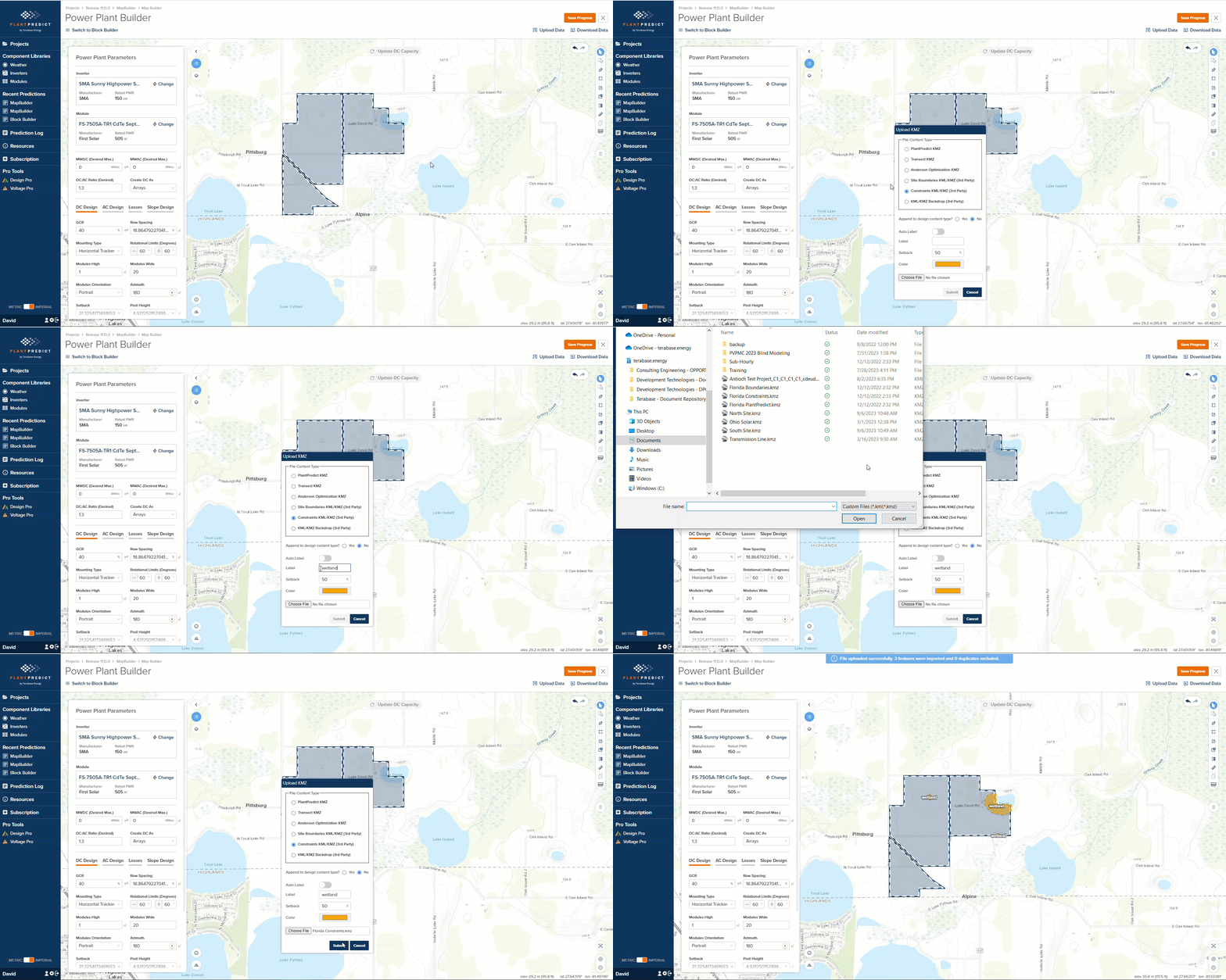
 **Custom Label when uploading a Constraint KMZ in MapBuilder**
When uploading a KMZ file as Constraints, you can now add a custom label that will appear on ALL constraint shapes that are part of that KMZ file.
**Custom Label when uploading a Constraint KMZ in MapBuilder**
When uploading a KMZ file as Constraints, you can now add a custom label that will appear on ALL constraint shapes that are part of that KMZ file.
 **Minor issues and Bug Fixes**
* In the last release, we added the ability to define Default Weather File statuses. This caused Meteonorm weather files to be imported as Draft-Private or Draft-Shared, which made them difficult to find for some users. We fixed this.
* The Array Area on the PLP-1000 was actually showing the Buildable Area. We have fixed this
* When SDK Users create a New Prediction, their Company Level Defaults will now be applied to the new prediction.
This documentation is built and hosted on [Mintlify](https://mintlify.com), a developer documentation platform.
**Minor issues and Bug Fixes**
* In the last release, we added the ability to define Default Weather File statuses. This caused Meteonorm weather files to be imported as Draft-Private or Draft-Shared, which made them difficult to find for some users. We fixed this.
* The Array Area on the PLP-1000 was actually showing the Buildable Area. We have fixed this
* When SDK Users create a New Prediction, their Company Level Defaults will now be applied to the new prediction.
This documentation is built and hosted on [Mintlify](https://mintlify.com), a developer documentation platform.